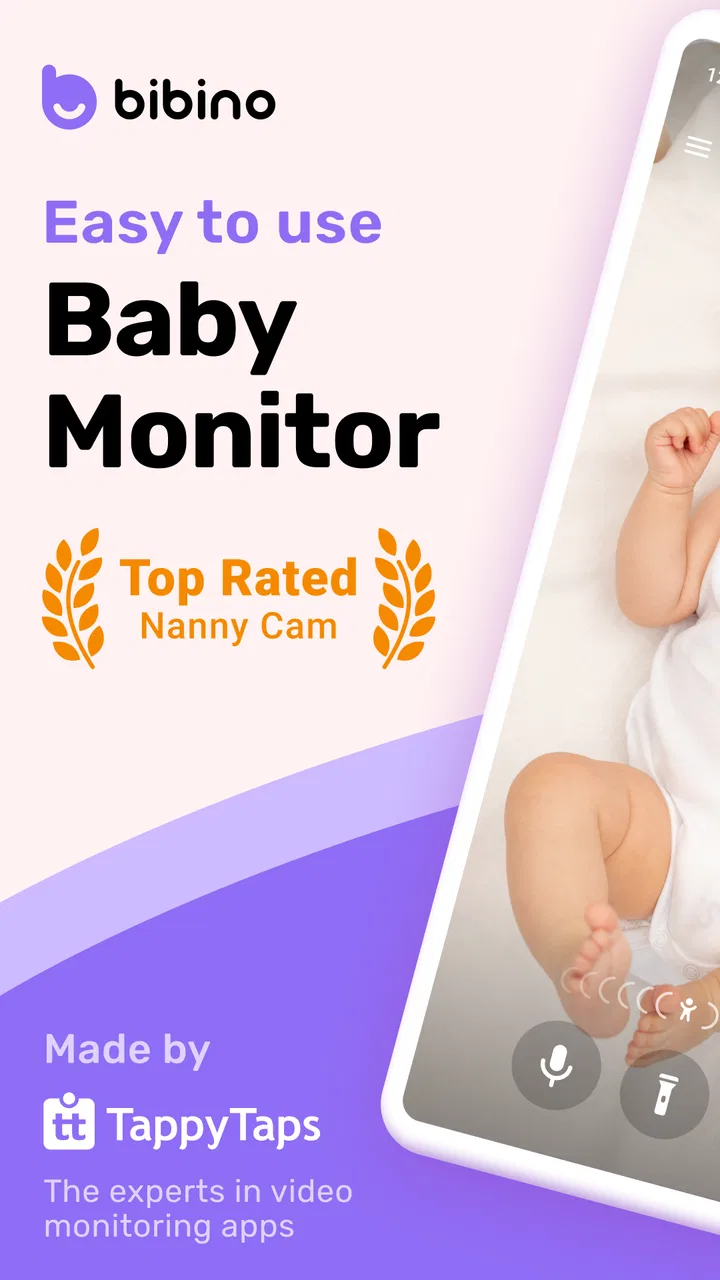
Bibino Baby Monitor - Baby Cam
- 4.5
- Rating
- 500.00K
- Installs
- Free
- Price

 Analysis by App-foxy
When I first look at a baby-monitoring app, I want to know one thing before anything else: can I get from installation to a useful check on my child without turning the process into a technical project? Bibino Baby Monitor is designed around a simple idea: use two phones, with one staying near the baby and the other acting as the parent’s viewer. That makes it especially appealing if you already have spare phones at home and do not want to buy a dedicated camera immediately.
This is a free parenting app from TappyTaps s.r.o., rated for Everyone. It has built a sizeable audience, with more than half a million installs and an average rating of 4.7 from about 8.6 thousand ratings. Those figures do not replace personal testing, but they do suggest that the basic phone-to-phone approach is easy enough for many families to understand.
My overall impression is that the app works best as a practical, flexible monitor for naps, bedtime and short periods when you need to step into another room. It is not a substitute for every dedicated baby camera, and it depends heavily on the two phones, their placement and the quality of the connection. Still, the route to a first useful result is refreshingly clear once you understand which phone plays which role.
You May Also Like

 Blood Strike: 2.5 Anniversary
Blood Strike’s Loadouts Turn Every Drop Into a Tactical Gamble
A close look at Blood Strike’s custom loadouts: how fast access to signature weapons reshapes its battle royale rhythm, rewards preparation, and narrows the gap between fights.

 Pandora - Music & Podcasts
Pandora’s Music Is Easy to Start, but Harder to Recover
Pandora’s strength is its low-effort path from a seed to a station. Its weak spot is how much confidence it asks you to place in connection, setup, and quiet recovery.

 8 Ball Pool
 Is Built on Rivalries, Rematches, and Routine
A close look at the rivalries, rematches, shared routines, and unanswered safety questions that turn a quick pool match into a persistent mobile community.

 Samsung Music
’s Quiet Strength Is Playing What You Already Own
Its reach comes less from spectacle than from dependable access to a personal library. That simplicity is both the app’s strongest retention engine and its ceiling.

 AccuWeather: Weather Radar
AccuWeather Review: A Quick, Clear Forecast for Everyday Decisions
For everyday plans, the best forecast is the one you can understand quickly. AccuWeather makes rain timing, radar, and local conditions easy to act on, with a few trade-offs.

 Hill Climb Racing
Why Hill Climb Racing Still Turns Crashes Into One More Run
A tiny car, a bumpy hill and one more upgrade: Hill Climb Racing keeps resurfacing because its simple chaos makes every near-miss feel personal.
More From Our News Desk



What to expect before you begin
The most important mental adjustment is to stop thinking of Bibino as a camera that arrives ready to use. It is a system made from two devices. One phone becomes the baby unit, positioned where it can observe or listen to the sleeping area, while the second becomes the parent unit that you carry or keep nearby. The app’s store summary describes this as pairing two phones to monitor a baby, and that pairing is the foundation of the entire experience.
That approach has an immediate advantage: you may already own everything needed for a basic trial. An older phone can take the baby-side role, while your everyday phone remains the viewing device. This is more economical than purchasing a dedicated monitor, especially if you only need monitoring occasionally, such as during visits to relatives or while travelling.
The trade-off is equally important. A spare phone must remain stable, sufficiently charged and positioned safely. A dedicated monitor usually has a camera designed for a fixed location, whereas a phone brings its own practical concerns: the stand, the charging cable, the screen, notifications and the temptation to move it around. I would treat the phone as a monitoring tool, not as a toy or a loose object placed within a child’s reach.
The app is free to install, with optional in-app purchases ranging from $0.99 to $39.99 per item. I would begin with the free experience rather than assuming you need to pay before understanding the workflow. That first test tells you whether your phones connect reliably, whether the camera angle suits your room and whether the arrangement fits your evening routine.
It is also worth checking compatibility before you plan around it. The current version is 8.5.2, and the listed minimum Android requirement is 7.0. If you are reviving an old handset as the baby-side device, that requirement matters more than it might seem. An unused phone can look perfect for the job until the operating system is too old to install or update the app comfortably.
Choose the two-phone roles deliberately
For the first attempt, I recommend using your newer, more dependable phone as the parent device. It is the one you will rely on when you need to check the nursery, so a clear display and dependable battery are more useful there. Put the older compatible phone near the baby, but only after deciding how it will stand securely and how its charging cable will stay out of the way.
Do not begin by trying to create a permanent installation. Start with a temporary, supervised test while the baby is not asleep. This lets you learn the camera view, sound behaviour and connection flow without the pressure of a real bedtime. It also gives you a chance to notice whether the phone’s position shows the area you actually care about, rather than merely showing a wall or the edge of the crib.
A small but useful habit is to label the roles in your head before pairing: “baby phone” and “parent phone.” Many early mistakes come from opening the app on both devices and then treating them as interchangeable. They are physically similar, but they serve different purposes. Keeping the roles clear makes later troubleshooting much less frustrating.
Getting from installation to the first successful check
Install Bibino on both compatible phones and open it on each one. Follow the pairing instructions shown in the app, assigning one device to the baby-side role and the other to the parent-side role. The exact order matters less than being consistent: once one phone is designated for the child’s room, keep it there during the test instead of switching back and forth.
Before placing the baby-side phone in position, test the camera at the height and angle you expect to use. I find it easier to do this with a toy or cushion standing in for the sleeping area. Look at the parent phone and check whether the important part of the space remains visible when you step away. A view that looks fine from directly beside the phone can become unhelpful once the device is placed on a shelf or table.
Keep the first test simple. Put the two devices in their intended locations, wait for the connection, and then move briefly out of sight. Make a small sound from the room or speak normally, then confirm that the parent phone gives you the information you need. The first meaningful success is not a long overnight session; it is knowing that you can open the parent side, see the relevant area and notice activity from the other room.
This short test also answers a question many first-time users have: do both phones need to stay in the same room? No. The whole point of the arrangement is to leave one phone near the baby and take the other elsewhere. The useful range depends on how the devices communicate and on the reliability of your home connection, so test it from the places where you actually expect to sit, such as the kitchen, hallway or living room.
Once the basic check works, repeat it at the time of day when you will normally use the app. Evening lighting, closed doors and background household noise can change how reassuring the monitor feels. I would not judge the setup only in bright daylight. A monitor that looks excellent at lunchtime may need a better position when the room is dim and you are relying more heavily on sound.
A realistic bedtime routine
Imagine a normal evening: your baby has settled, and you want to prepare a bottle or take a quick shower without staying beside the crib. I would leave the baby-side phone secured in its tested position, check that it has enough charge, open the parent-side phone and carry it with me. Before walking away, I would make one quick visual check that the camera view has not shifted and that the parent device is still connected.
That routine is where the app makes the most sense. It is not trying to replace your presence or make decisions for you. It gives you a way to check in without repeatedly opening the nursery door. If you hear something unusual, you can investigate directly rather than relying on the app to interpret what is happening.
For a first-time user, this is a better goal than attempting a complicated all-night setup immediately. Use it for a short nap, then a normal bedtime period, and only later decide whether it fits longer monitoring. Building confidence in stages helps reveal practical issues that are easy to miss when you are tired, such as where to place the charging cable or which room has the most dependable connection.
Small setup choices that make a large difference
The camera angle deserves more attention than the installation screen. A phone placed too low may show bedding but miss movement around the sleeping area. A phone placed too high may provide a broad view but make small movements difficult to interpret. I prefer a stable position that shows the part of the room I need to check, with the device well away from the baby’s reach.
Think about sound as well as video. A phone near a fan, heater or noisy appliance can make the parent-side experience harder to interpret. During the trial, listen from the parent phone while the room is quiet, then while ordinary household sounds are present. That gives you a more realistic sense of whether you will notice a cry or movement without constantly staring at the screen.
Battery planning is another non-obvious part of using two phones. The baby-side device is doing the more demanding job because it remains active in the room, so I would not begin a nap with a nearly empty battery. If you charge it during use, keep the cable routed safely and ensure the phone cannot be pulled down or reached. Convenience should never come at the expense of a safe sleeping environment.
Common confusion and how I would handle it
The first common confusion is expecting a single phone to provide the complete experience. Bibino’s central use case depends on pairing two phones, so installing it on only your everyday device does not demonstrate what the app is meant to do. If you are only looking for a quick camera preview on one handset, a different type of app may suit you better.
Another point of confusion is the difference between a connection problem and a placement problem. If the parent phone cannot show a useful view, do not immediately assume that pairing failed. The devices may be connected perfectly while the baby-side phone is facing the wrong direction. I would check the live view from the intended parent location, then adjust the physical position before repeating the pairing process.
It is also easy to overestimate what a phone monitor can tell you. A video feed can show a position or movement, but it does not replace checking on a baby yourself. Likewise, sound from a phone can alert you to activity without explaining why it is happening. I see the app as a convenient way to stay aware, not as a medical or safety system.
Users may also wonder whether an old phone is automatically a good baby unit. Age alone is not the deciding factor. The device still needs to meet the minimum Android requirement, hold a charge well enough for the session and remain steady in its chosen position. An older handset with a weak battery or unreliable performance can create more worry than it removes.
The free price can create a different misunderstanding: free does not necessarily mean every possible option is included without conditions. Bibino offers in-app purchases, so I would inspect any upgrade screen carefully and decide whether a paid item solves a problem you genuinely have. If the basic two-phone monitoring workflow already works for your routine, there is no reason to purchase something simply because it is presented during setup.
Privacy is another reason to be deliberate. Because you are using phones in a private room, I would avoid leaving unrelated apps open, keep the devices physically secure and decide who in the household should have access to the parent-side phone. These are sensible habits whenever a phone is used around a child, regardless of the monitoring app.
When the usual alternatives are better
A dedicated baby monitor is the stronger choice if you want hardware that can remain permanently installed, with fewer daily decisions about which phone to use. It may also be preferable for parents who do not have a spare compatible handset or who dislike keeping a phone plugged in near the nursery. Bibino’s advantage is flexibility and the ability to start with devices you already own.
A conventional audio monitor can be better if your only requirement is hearing a baby from another room. It is usually simpler because there is no camera angle to manage and no second smartphone screen to carry. On the other hand, the two-phone design is more informative when you want to visually check whether the baby has settled or simply changed position.
A general video-calling setup may seem like an alternative, but it is not necessarily as comfortable for this purpose. Such tools are built for conversations, while Bibino is focused on the relationship between a baby-side device and a parent-side device. I would choose the dedicated app when I want a repeatable monitoring routine rather than an improvised call.
Families who travel frequently may find the phone approach particularly useful because it avoids packing another piece of equipment. Yet travel also exposes its weakness: unfamiliar networks, limited charging access and awkward surfaces can make setup less predictable. I would test the arrangement in the accommodation before relying on it during a nap, and I would keep a simpler backup plan for situations where the connection is not dependable.
Who will get the most from it
I think Bibino is a good match for first-time parents who want to try video monitoring without immediately buying dedicated hardware. It is also useful for families with a spare compatible phone, grandparents who occasionally look after a baby and parents who need a temporary setup in a second room. The free entry point makes experimentation easy, while the familiar phone format keeps the learning curve manageable.
It is less suitable for someone who wants a completely hands-off device with no charging, positioning or phone-management decisions. It may also frustrate households with only one usable smartphone, an old device below the minimum Android requirement or a home environment where the connection is inconsistent. In those cases, a dedicated monitor or a simple audio unit may provide more dependable peace of mind.
The age rating of Everyone reflects that this is a family-oriented utility rather than an entertainment app, but parents should still think about how and where they use it. The rating does not remove the need for safe device placement or sensible supervision. I would never position a phone where a baby could grab it, pull its cable or become entangled with anything attached to it.
Three habits I would keep after setup
First, I would perform a quick visual check every time I move the baby-side phone. Even a small change in angle can turn a useful view into a partial one. This is especially important if the phone is temporarily placed for travel or if someone else has tidied the room.
Second, I would make “connection check” part of the bedtime routine rather than assuming the previous session guarantees the next one. Open the parent side, confirm that the baby-side view is available and check the phone’s position before leaving the room. It takes little time and prevents discovering a problem only after you are already in another part of the home.
Third, I would separate monitoring from entertainment. The parent phone may be the device you normally use for messages, videos and calls, but when it is serving as the monitor, keeping its attention on the baby feed is more useful. If you need your phone for something else, a second parent device or a dedicated monitor may be a better long-term arrangement.
These habits are more valuable than chasing a perfect setup. The app’s strength is not that it removes every practical responsibility; it is that it turns two ordinary phones into a workable monitoring pair with relatively little equipment.
My recommendation after using the full workflow
Bibino Baby Monitor succeeds when you approach it as a flexible two-phone system rather than a magic replacement for a nursery camera. The path from installation to a first successful check is straightforward: prepare two compatible devices, assign their roles, test the camera angle, confirm the connection from another room and then use the setup for a short real routine before trusting it for longer periods.
I appreciate that this makes baby monitoring accessible to families who already have an unused phone. The app is free to start, the parenting focus is clear and the phone-based format is convenient for naps, bedtime and temporary locations. Its strong average rating and broad install base also make it a credible option to try, although my decision would still depend mainly on the reliability of my own devices and home connection.
My reservations are practical rather than mysterious. You must manage two phones, keep the baby-side device charged and secure, choose a useful angle and remember that a live feed is not the same as direct supervision. Optional purchases may also require a careful look before you commit. None of these points makes the app a poor choice, but they do define who will enjoy it.
If you already have two suitable phones and want a low-cost way to begin, I would recommend trying Bibino with a supervised daytime test. That approach lets you discover whether the connection, sound and camera position work in your home without depending on assumptions. If the first successful check feels reliable and the routine fits naturally into your evening, the app can become a genuinely handy part of your parenting toolkit. If you want permanent hardware with minimal maintenance, I would choose a dedicated monitor instead.
FAQs for Bibino Baby Monitor - Baby Cam
01How does Bibino Baby Monitor ensure the security of my data?
Bibino Baby Monitor uses end-to-end encryption to secure all video and audio transmissions between your devices. This ensures that only you and your authorized viewers can access the live feeds. Additionally, Bibino does not store any of your data on its servers, providing an extra layer of privacy and security.
02What features does Bibino Baby Monitor offer for monitoring my baby?
Bibino Baby Monitor provides a range of features including live audio and video streaming, motion and noise detection alerts, and the ability to talk to your baby through the app. It also offers night vision for clear monitoring in low-light conditions, ensuring you can keep an eye on your baby anytime.
03Is Bibino Baby Monitor compatible with all devices?
Yes, Bibino Baby Monitor is compatible with both Android and iOS devices. You can use your smartphone, tablet, or laptop as a baby monitor, providing flexibility and convenience. The app allows you to connect multiple devices, so you can monitor from different locations, whether you're at home or away.
04Does Bibino Baby Monitor work without an internet connection?
Bibino Baby Monitor primarily requires an internet connection for real-time streaming and notifications. However, it can also work over a local Wi-Fi network if you are monitoring within the same household. This feature is particularly useful in areas with unstable internet connections.
05Are there any subscription fees or in-app purchases in Bibino Baby Monitor?
Bibino Baby Monitor offers a free version with essential features. However, for advanced functionalities like unlimited monitoring time, better video quality, and multi-device support, there is a premium subscription available. Users can choose a plan that best fits their needs, with monthly or annual payment options.
Pros
- Easy to set up and connect devices.
- High-quality video streaming available.
- Works on both Wi-Fi and mobile data.
- Two-way audio for communication.
- Background audio feature for multitasking.
Cons
- Requires continuous internet connection.
- Limited free features without subscription.
- Battery drain on devices over time.
- Privacy concerns with camera access.
- Ads may interrupt free version usage.

Bibino Baby Monitor - Baby Cam
Gallery